
VIN Not Found? Common Reasons and Simple Fixes Before You Give Up
Search Vehicle Report
Table of Contents
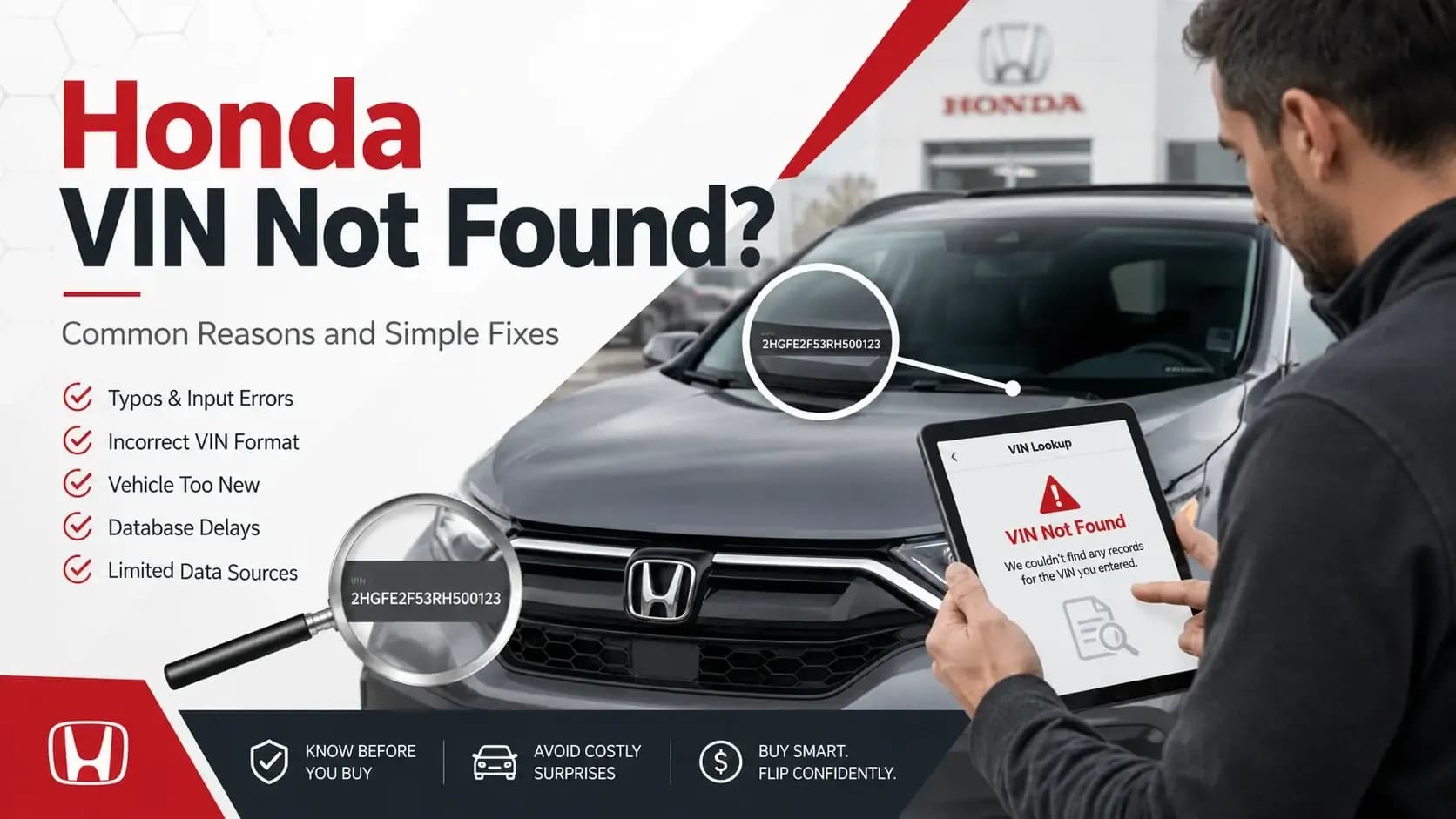
A Honda VIN not found message can feel annoying, especially when you’re trying to check a used Honda before a deal. The good news? Most VIN lookup problems are small: one mixed-up character, a VIN copied from the wrong source, a tool that can’t read that record, or data that has not shown up yet.
So don’t judge the car too quickly. First, check the VIN carefully, then run it again with a free Honda VIN decoder.
Key Takeaways
 A failed Honda VIN lookup often starts with a small character mistake or a VIN copied from the wrong source.
- Honda VINs do not use the letters I, O, or Q, which makes lookalike characters a common headache.
- If the VIN still fails, compare the dashboard, door jamb, title, and registration before moving forward.
First, Don’t Panic - A Failed VIN Search Isn’t Always a Red Flag
When a VIN search doesn’t work, it’s easy to get suspicious. That’s fair. Used-car buying already has enough little stress points. You’re checking photos, mileage, price, trim, title status, and maybe wondering why the seller used six exclamation points in the listing.
Still, a VIN not found result does not always mean the Honda has a problem.
Sometimes the VIN was typed from a blurry windshield photo. Sometimes a marketplace listing cuts off one digit. Sometimes a seller sends the plate number instead of the VIN. It happens. Honestly, it happens a lot.
A real red flag begins when the VIN does not match across documents, labels, or the physical vehicle. That’s different. We’ll get there.
What Is a Honda VIN?
A Honda VIN number is the unique ID assigned to one specific Honda. Most newer Honda vehicles use a 17-character VIN, and that number can point to details such as year, make, model, engine, body type, production plant, and serial number.
You can usually check these spots:
- Driver’s side dashboard near the windshield
- Driver’s side door jamb label
- Vehicle title
- Registration document
- Insurance card
- Dealer or service paperwork
Think of the VIN as the car’s serial tag. It tells you what the Honda is, but not everything it has been through.
Why Your Honda VIN May Not Be Found
A failed search can come from several places. Some are harmless. Some deserve a closer look.
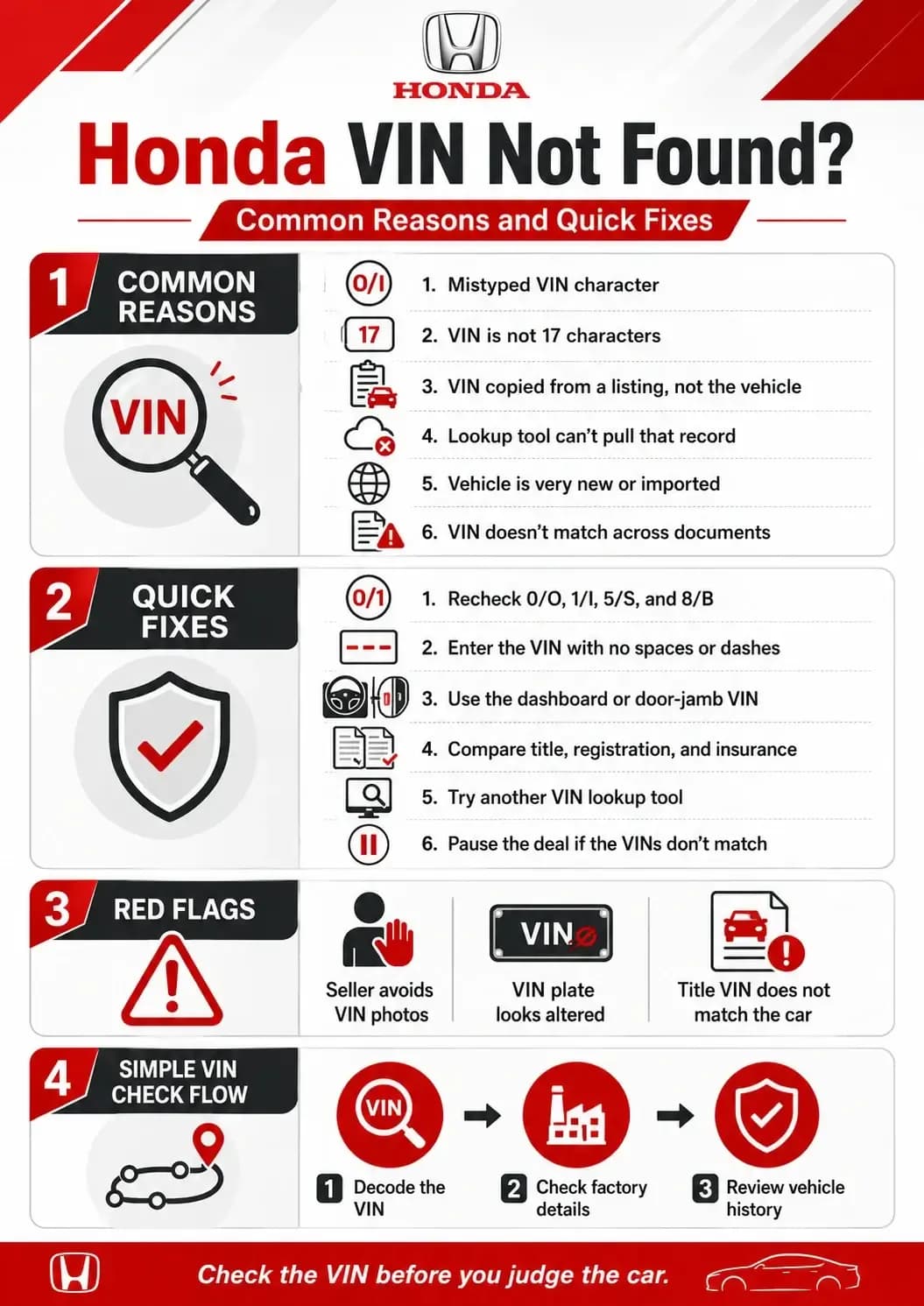
1. One Character Is Wrong
This is the boring answer, but it is also the most common one. One incorrect character is enough to stop the lookup.
Honda VINs do not use I, O, or Q. If a character looks like O, check whether it should be zero. If it looks like I, check whether it should be one. A 5 can look like S. An 8 can look like B.
This is why copying a VIN from a blurry photo can be risky. The tool is not guessing what you meant. It reads exactly what you enter.
2. The VIN Came From the Listing, Not the Car
Online listings are convenient, but they are not always clean. A seller may paste the wrong VIN. A dealer feed may attach the wrong details. An auction screenshot may show a number that belongs to another vehicle.
If you are serious about the Honda, ask for a clear photo of the VIN from the actual vehicle.
The dashboard VIN can usually be seen through the windshield. The door jamb label is also helpful because it often shows the VIN with manufacturing details.
3. The Honda Is an Older Model With a Shorter VIN
Older Honda vehicles may not use the same 17-character VIN format found on newer models. Some older vehicles have shorter identification numbers, which can fail in modern lookup tools.
If you are checking an older Honda, compare the number with the title, registration, door label, or other factory records before assuming the VIN is wrong.
4. The Tool Cannot Pull That Record
Not every tool has access to every type of record. A basic decoder may show the vehicle identity, while another tool may fail when looking for a window sticker, history report, or factory option data.
That does not always mean the VIN is bad. It may only mean that the tool cannot return the specific record you requested.
5. The Honda Was Built for Another Market
Some imported Honda vehicles may not decode smoothly in U.S.-focused systems. The VIN format may still be valid, but the available data can be limited or stored differently.
This happens more often with imported models, motorcycles, powersports vehicles, or vehicles that moved between markets.
6. The Vehicle Is Very New
Brand-new vehicles or recent dealer inventory may not appear in every lookup system right away. Records can take time to move through dealer feeds, manufacturer systems, and third-party databases.
If the Honda is new or barely used, recheck the VIN from a clean source and try again later if needed.
7. The VINs Do Not Match
If the VIN on the dashboard, door jamb, title, and registration do not match, pause the deal. It could be a paperwork mistake, but it could also point to a bigger issue.
Either way, do not brush it off.
8. The VIN Length Is Off
A newer Honda VIN should usually have 17 characters. If yours has 16 or 18, check the source again.
Enter the VIN as one continuous string, without spaces or dashes.
It feels a little old-school, but it works.
How to Fix a Honda VIN Not Found Error
Now for the practical part. Before walking away from the car, run through these checks.
1. Read the VIN One Character at a Time
Use a clear source, preferably the dashboard VIN or door jamb label. Read each character slowly and compare it with what you entered.
Watch for:
- 0 and O
- 1 and I
- 5 and S
- 8 and B
- 2 and Z
A tiny mistake can send the search nowhere.
2. Count the Characters
A late-model Honda VIN should be 17 characters. If the number is short or too long, go back to the source.
Do not include spaces, hyphens, or extra marks from a photo or document.
3. Check the VIN on the Vehicle Itself
Marketplace listings are useful, but they are not the source of truth. Ask the seller for a clear photo of the VIN from the actual Honda.
The dashboard VIN is usually visible through the windshield. The driver’s door jamb label can also help because it often includes the VIN and manufacturing details.
4. Match the VIN Across the Paperwork
Compare the VIN on the title, registration, insurance document, and vehicle labels. They should match.
If they do not match, ask for the reason. A simple paperwork mistake can happen, but the answer should make sense. If it feels vague or rushed, take that seriously.
5. Try Another Tool After Verifying the VIN
Different tools return different information. A free decoder may confirm the basic identity. A window sticker tool may focus on factory details. A history report tool may check accident, title, odometer, lien, theft, and ownership records.
Verify the VIN first, then try the search again. Do not keep changing random characters to “see what works.” That only creates more confusion.
6. Ask for Supporting Documents
If the Honda is worth your time, ask for the title, registration, service records, or dealer paperwork. A normal seller should understand why you want to confirm the vehicle identity.
You can be polite and still be firm.
What If the VIN Still Does Not Work?
If you have checked the characters, confirmed the length, used the physical vehicle, and compared the paperwork, but the VIN still will not return results, do not force the deal.
Ask the Seller to Reconfirm the VIN
Ask the seller to confirm the VIN from the actual vehicle, not only from the listing. Some ads are built from dealer templates or copied inventory data.
Contact a Honda Dealer
A Honda dealer may be able to confirm basic vehicle identity or factory information using the VIN. This can help if the VIN is valid but a third-party tool cannot return the record.
Check Official Paperwork
DMV or registration records can help verify whether the VIN matches the vehicle’s legal documents. Rules vary by state, but official paperwork matters more than a listing screenshot.
Hold Off on Sending Money
If the VIN cannot be confirmed, do not send a deposit. Do not wire funds. Do not accept “we’ll sort that out later” as a plan.
The VIN should make sense before the deal does.
What a VIN Decoder Can and Cannot Tell You
A VIN decoder can help confirm the Honda’s basic identity. It may show year, make, model, trim, engine, body type, fuel type, plant, and serial number.
That is useful. But it is not a full background check.
A decoder does not replace a vehicle history report. It usually will not show accident records, branded titles, odometer issues, ownership changes, lien records, theft records, salvage records, or auction activity.
So if a Honda decodes correctly, that is a good first step. It does not mean the car is automatically clean.
RELATED: Honda History Report Vs VIN Decoder
When a VIN Problem Should Make You Walk Away
Most VIN issues are fixable. Some are not worth the risk.
The VINs Do Not Match
If the dashboard VIN and title VIN are different, stop. Verify the issue through official channels before considering the car.
The Seller Avoids VIN Questions
If the seller keeps dodging simple VIN requests, that is not a good sign. Serious sellers usually understand why buyers ask.
The VIN Plate Looks Damaged
A scratched, loose, altered, or odd-looking VIN plate deserves caution. It may be harmless, but you should not ignore it.
The Paperwork Feels Messy
Missing title, wrong name, delayed title, strange registration story — none of these automatically prove a problem, but they are reasons to slow down.
Why Car Flippers Should Care Even More
For car flippers, VIN accuracy is not just about peace of mind. It affects title transfer, auction listings, insurance, buyer trust, and resale paperwork.
A wrong VIN can make a good car look questionable.
And buyers notice sloppy details. If the VIN is wrong in your listing, they may wonder what else was rushed.
Clean data sells better. It really does.
A Simple Honda VIN Check Flow
Use this flow when checking a used Honda.
- 1
Decode the VIN
Start with a basic decoder to confirm the year, make, model, trim, engine, fuel type, and vehicle identity. - 2
Check Factory Details
If the Honda looks promising, check the window sticker for MSRP, equipment, colors, warranty details, and original factory information. - 3
Review History Before Buying
Before money changes hands, review deeper records such as title, accident, odometer, ownership, theft, lien, auction, and salvage history.
That order keeps the process clean: identity first, factory details second, risk records third.
Final Word: Check the VIN Before You Judge the Car
A Honda VIN not found message is frustrating, but it is often fixable. Recheck the characters, count the VIN, compare the documents, and use a clear source from the vehicle.
If everything matches, try the Honda VIN decoder again and continue from there.
A used Honda should make sense on paper before it makes sense in your driveway.